Minecraft Map Art Color Guide: Complete Block Palette
Deep dive into block colors for Minecraft map art. Includes complete color codes, block groupings, and selection recommendations.
Here's something a lot of people don't realize: Minecraft maps don't actually photograph your builds. Instead, every block type gets assigned a preset "map color" and that's what shows up regardless of lighting or time of day.
How Many Colors Are We Working With?
The game has about 62 base map colors, and each one comes in 3 brightness levels (normal, bright, dark). When planning your map art palette, you need to understand these fundamental minecraft map art colors:
- Flat builds: ~62 colors to work with
- Using staircasing: ~186 colors (62 × 3)
This is why stair-stepped map art looks so much better.
Block Colors Quick Reference
Greens (Plants & Grass)
| Hex Code | Color | Blocks |
|---|---|---|
| #7FB238 | Grass green | Grass Block, Moss Block |
| #667633 | Olive | Mossy Cobblestone, Vines |
| #127E14 | Deep green | Emerald Block |
| #8ABD40 | Lime | Melon, Sugar Cane |
Blues (Water & Minerals)
| Hex Code | Color | Blocks |
|---|---|---|
| #4040FF | Water blue | Water |
| #1B439B | Deep blue | Lapis Block |
| #4A80FF | Sky blue | Ice |
| #62D2E7 | Cyan/Teal | Diamond Block, Prismarine |
Browns & Grays (Earth & Stone)
| Hex Code | Color | Blocks |
|---|---|---|
| #976D4D | Dirt | Dirt, Jungle Planks |
| #707070 | Stone gray | Stone, Cobblestone |
| #A0A0A0 | Light gray | Clay |
| #4C3228 | Dark brown | Dark Oak Planks |
Whites & Creams (Snow & Building)
| Hex Code | Color | Blocks |
|---|---|---|
| #FFFFFF | Pure white | Snow Block |
| #F9F9F9 | Off-white | White Concrete, Quartz |
| #D1B1A1 | Beige | Sandstone |
| #A79A8C | Tan | Smooth Stone |
Reds & Blacks (Nether Stuff)
| Hex Code | Color | Blocks |
|---|---|---|
| #A12722 | Dark red | Nether Brick, Redstone Block |
| #252529 | Black | Black Concrete, Obsidian |
| #472A27 | Maroon | Nether Wart Block |
| #FF6D3D | Lava orange | Magma Block |
Wool vs Concrete - Which Is Better?
| Color | Wool | Concrete | Verdict |
|---|---|---|---|
| White | ✅ | ✅ | Concrete brighter |
| Orange | ✅ | ✅ | Concrete more vibrant |
| Magenta | ✅ | ✅ | About the same |
| Light Blue | ✅ | ✅ | Concrete darker |
| Yellow | ✅ | ✅ | Concrete purer |
| Lime | ✅ | ✅ | Similar |
| Pink | ✅ | ✅ | Concrete more saturated |
| Gray | ✅ | ✅ | Concrete deeper |
| Light Gray | ✅ | ✅ | Similar |
| Cyan | ✅ | ✅ | Concrete more vivid |
| Purple | ✅ | ✅ | Concrete deeper |
| Blue | ✅ | ✅ | Concrete purer |
| Brown | ✅ | ✅ | Similar |
| Green | ✅ | ✅ | Concrete brighter |
| Red | ✅ | ✅ | Concrete bolder |
| Black | ✅ | ✅ | Concrete darker |
My take: Use concrete when you can. Colors are cleaner and it won't catch fire.
How Staircasing Brightness Works
The advanced features guide goes deep on this, but basically:
| Compared to Block North of It | Brightness | What Happens to Color |
|---|---|---|
| Lower | Dark | Original × 0.71 |
| Same height | Normal | Original color |
| Higher | Bright | Shifts lighter |
So one purple concrete block can show three different shades depending on its height relative to neighbors.
Picking the Right Blocks
Survival Mode - Think About Availability
Resources aren't free:
Easy to get (use these):
- 🟢 Wool - just need sheep
- 🟢 Terracotta - deserts have tons
- 🟢 Planks - everywhere
- 🟢 Concrete - sand + gravel + dye
Harder to farm (use sparingly):
- 🔴 Diamond/Emerald blocks - unless you're loaded
- 🔴 Nether blocks - the trip is annoying
- 🔴 Prismarine - ocean monuments aren't fun
Creative Mode - Go for Quality
No resource limits, so pick based on:
- Color purity: Concrete > Wool > Terracotta
- Texture noise: Solid colors > Patterned blocks
- Special effects: Glowstone and Sea Lanterns glow
Color-Specific Recommendations
Quick picks for each color:
Reds: Red Concrete, Redstone Block, Nether Brick Blues: Blue Concrete, Diamond Block, Lapis Block Yellows: Yellow Concrete, Gold Block Greens: Green Concrete, Emerald Block Blacks: Black Concrete, Obsidian Whites: White Concrete, Snow Block, Quartz
Let Tools Handle Color Matching
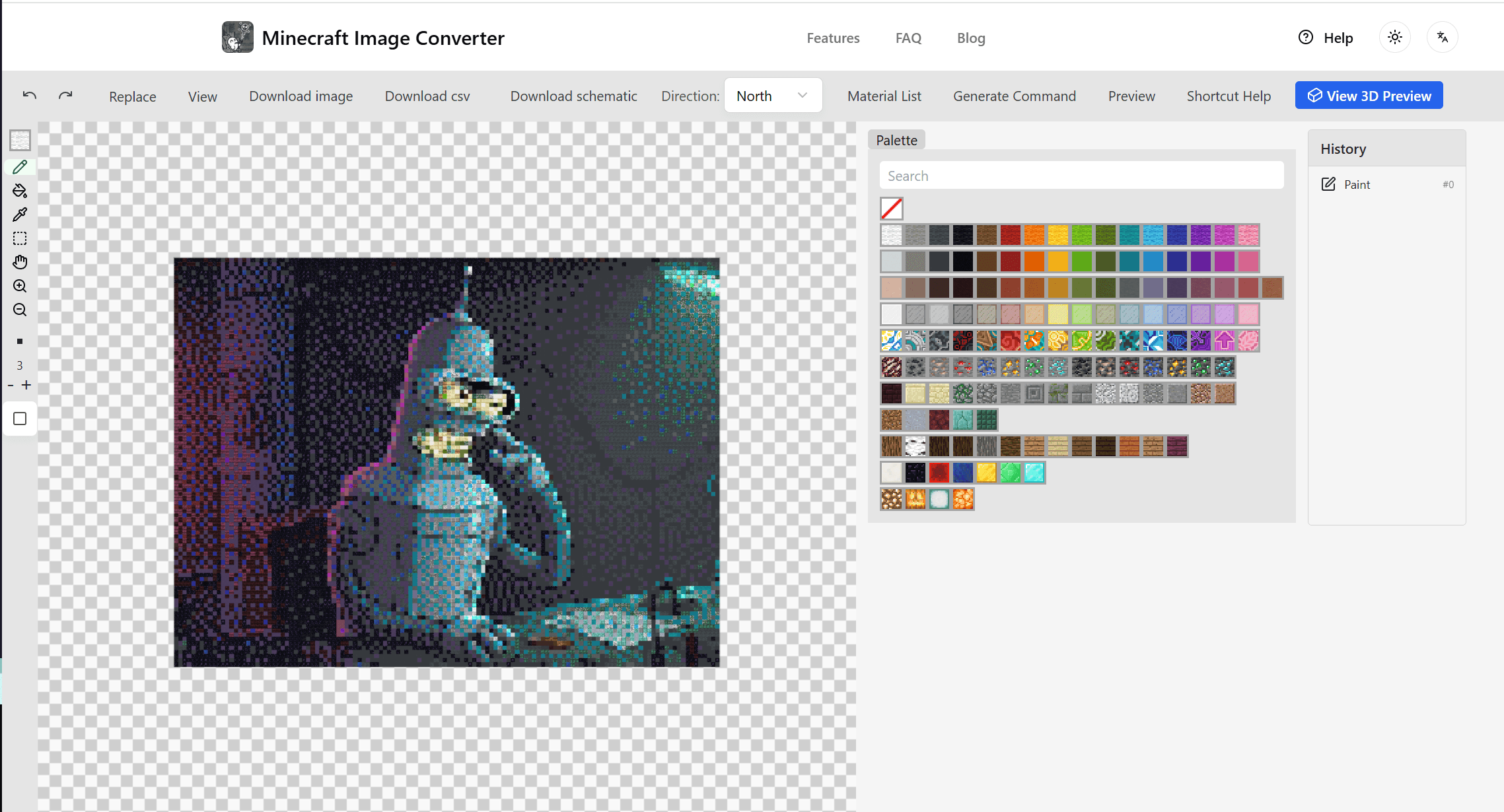
Figuring this out manually is tedious. Our converter has the complete block color database:
- Upload an image, it analyzes every pixel
- Filters blocks based on your mode (survival/creative)
- Matches closest colors algorithmically
- Optionally adds dithering for smoother results
You can also exclude specific blocks if they're too hard to get.
MC Version Differences
New versions add new blocks with new colors:
1.17+: Copper blocks (and oxidized variants), Amethyst, Deepslate, Moss
1.19+: Mud blocks, Mangrove wood, Sculk (nice dark tones)
1.20+: Cherry wood (pink!), Bamboo
Our tool lets you pick your target version and auto-filters unavailable blocks.
Practical Tips
Test Before Committing
For big projects:
- Pick a representative section of your image
- Convert and export just that part
- Build it in-game and see how it looks
- Adjust settings, then do the full thing
Lighting Doesn't Affect Map Colors
But you still need to see what you're building, so work in good light or grab a night vision potion.
Viewing Distance Matters
Map art looks best from 3-5 blocks away. Too close and you just see block edges.
Wrapping Up
Understanding MC's map color system is key to good map art:
- About 62 base colors exist
- Staircasing triples that to 186
- Concrete is usually your best bet
- Tools make color matching way easier
Get this down and your map art will look way better.
Try it out → Online Color Converter
Author

Categories
More Posts

How to Turn a Picture into Minecraft Blocks (Without Losing Your Mind)
Want to build a photo in Minecraft? Here is how to turn any picture into blocks using generators. No mods required (unless you want them).

How to Reset Chunks in Minecraft (Reduce File Size & Lag)
Is your world file 10GB? Is the lag unbearable? Learn how to delete old chunks using MCA Selector without deleting your base.

10 Easy Minecraft Pixel Art Templates for Beginners (Grid Included)
Start small. Here are 10 simple pixel art designs (Hearts, Swords, Mario) with grid views that you can build in under 10 minutes.